NoteKub · Early Access

One place for ideas, work, and knowledge.

Capture, write, organize, and connect what matters in NoteKub, then grow a simple note into a workspace that fits how you work.

Free to try during Early Access
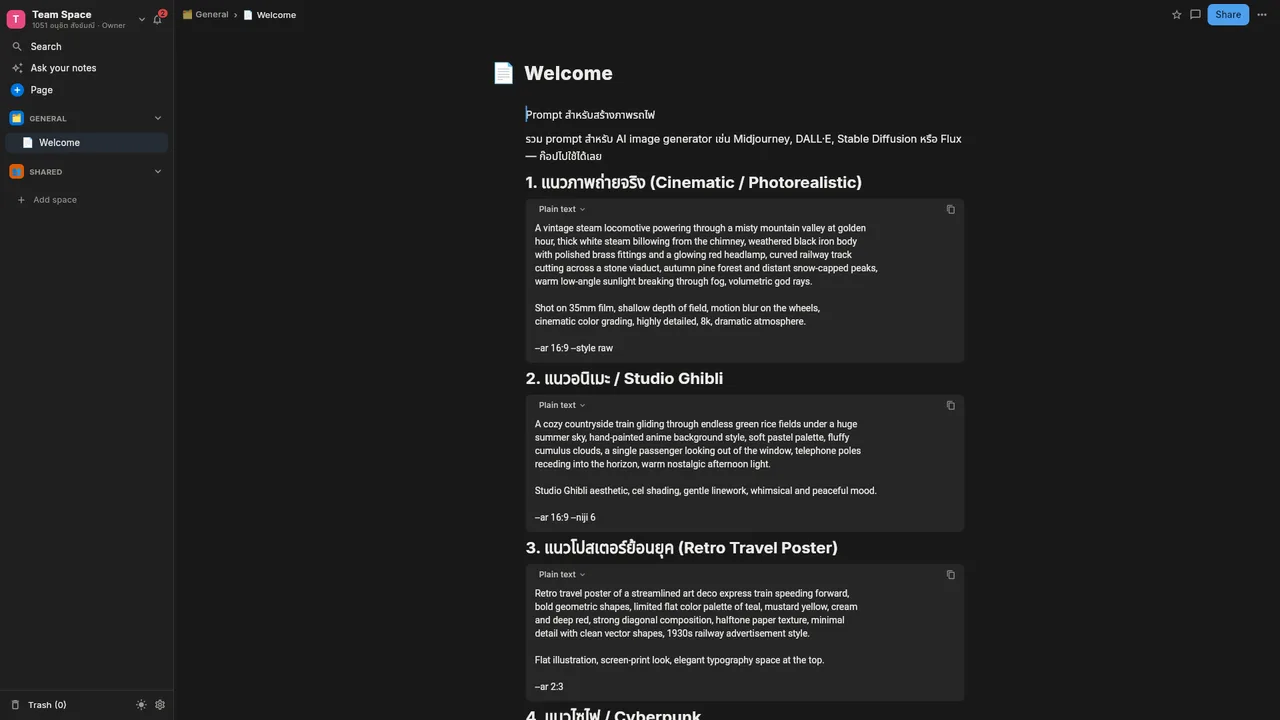
The NoteKub editor: a Team Space sidebar with General and Shared sections beside an open document of formatted text and code blocks

A new way to work.

Start simple. Expand when you need to.

NoteKub gives you the big picture first—not every feature at once.

1

Write

Capture notes, documents, or specifications in a focused editor.

2

Organize

Turn scattered information into pages, structure, and searchable databases.

3

Connect

Link ideas, documents, and data so context stays visible.

4

Collaborate

Share, comment, and continue from the same source of truth.

Product overview

One workspace, beyond just notes.

As your information grows, move from documents into databases, canvas, search, and AI without leaving the workspace you already know.

Explore product

Workspace overview

1Product notes
2Feature backlogDatabase
3Research map
4Team handbook

Everything it can already do.

Twelve capabilities. Shipping today.

Not a roadmap — the twelve capabilities that ship today, each one documented in the manual.

  • Block editor

    Write notes, specs and long documents out of blocks you can reorder, nest and turn into something else.

    • Slash menu
    • Markdown as you type
    • Toggles, callouts and code
    • Tables and images
    • Find and replace
    Read the guide
  • Databases in a page

    One set of rows seen as a grid, a board or a calendar — the same data, a different question each time.

    • 15 property types
    • Grid, board and calendar views
    • Filter and sort
    • Formulas and calculations
    • Relations between rows
    Read the guide
  • Canvas and diagrams

    An infinite board for the thinking that does not fit in a document — draw it, then connect it up.

    • Pen, highlighter and eraser
    • Sticky notes and stamps
    • Shapes, lines and connectors
    • Document blocks on the board
    • Export the board
    Read the guide
  • Real-time collaboration

    Several people in one page at once, and edits made offline that merge cleanly when the connection returns.

    • Purpose-built CRDT
    • Live presence and cursors
    • Offline editing
    • Roles: owner, member, guest, viewer
    Read the guide
  • Comments and mentions

    Discussion stays anchored to the exact text it is about, and the inbox tells you what needs you.

    • Threads on a text range
    • Replies and reactions
    • @mentions
    • Notification inbox
    Read the guide
  • Share links and permissions

    One click turns a page into a link with view or edit rights, and one click takes it back.

    • View or edit permission
    • Revocable at any time
    • Public pages are noindex by default
    • Per-page access
    Read the guide
  • Ask your notes (AI)

    Ask a question in your own words and get an answer built only from your own pages, with citations you can click.

    • Answers from your workspace only
    • Clickable citations
    • Hybrid retrieval: trigram and vector
    • A Thai question finds an English note
    Read the guide
  • AI agent and MCP

    An MCP server exposes agent tools that read and edit documents, using a model key you bring yourself.

    • Model Context Protocol server
    • Agent tools that read and write pages
    • Bring your own key
    • Anthropic, OpenAI-compatible or local Ollama
    Read the guide
  • Search across everything

    One search box over every page, database row and canvas in the workspace, reachable from anywhere.

    • Full-text workspace search
    • Keyboard-first, ⌘P / Ctrl+P
    • Jump straight to a block
    • Favorites and recent pages
    Read the guide
  • Local and cloud workspaces

    Keep a workspace on the device alone, or in the cloud with the people you work with — and move a page up later.

    • On-device workspace, no account needed
    • Cloud workspaces with members
    • Spaces and a nested page tree
    • Trash and recovery
    Read the guide
  • Notifications that stay quiet

    In-app, push and email, each type switchable on its own, every one linking back to the exact block.

    • In-app, push and email
    • Per-type preferences
    • Deep links to the block
    • Tabs for parallel work
    Read the guide
  • Every platform, or your own server

    The same workspace on web, macOS, Windows, Android and iOS — and the whole stack runs under Docker Compose if you would rather host it.

    • Web, macOS, Windows, Android, iOS
    • Self-hostable with Docker Compose
    • Thai and English interface
    • Static, fast public site
    Read the guide
Feature Spotlight · Infinite Canvas

Think outside the document. Sketch, connect, and map anything.

An infinite visual board built directly into NoteKub. Brainstorm with sticky notes, draw fluid diagrams, link concepts with smart connectors, and drop real document blocks straight onto the board.
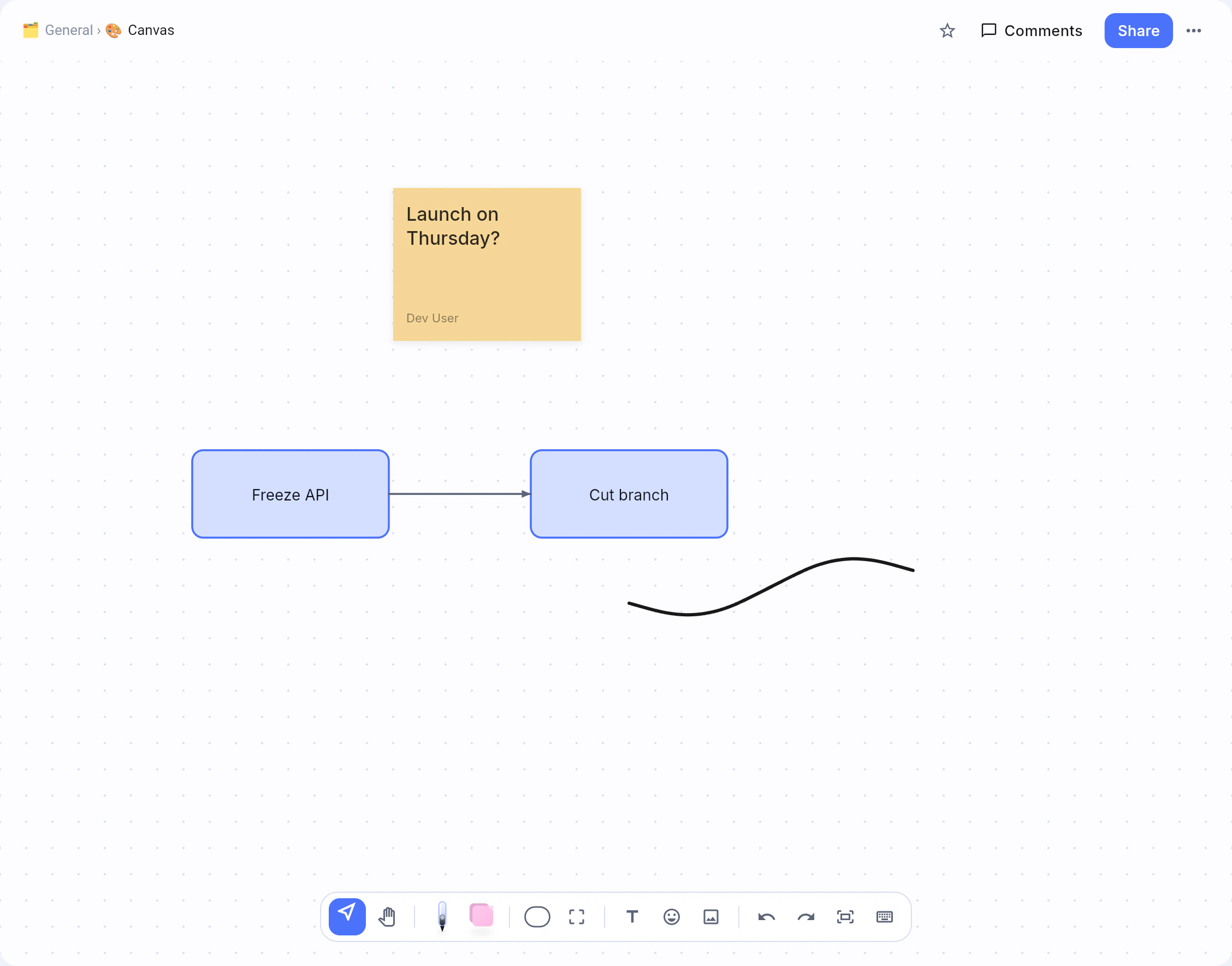
Project Architecture & Brainstorm — Canvas
100%
NoteKub Canvas workspace showing sticky notes, connected boxes, and drawing toolbar
Freehand Pen & Eraser·Pressure & tilt support
Color Sticky Notes·6 paper colors & author stamps
Smart Connectors·Auto-snapping curves & elbows
Slash Insert·Drop live editor blocks on board
01

Freehand ink & stylus

Draw fluidly with pen and highlighter. Stylus pressure, tilt, and palm rejection are built in, with smart whole-stroke and partial erasers.

  • Pressure & tilt
  • Whole stroke eraser
  • 6 ink colors
02

Sticky notes & stamps

Capture fleeting thoughts on color-coded sticky notes. In shared workspaces, each note stamps the creator's name automatically.

  • 6 paper colors
  • Author stamps
  • Shortcut: N
03

Smart connectors & flowcharts

Draw connectors that stay attached when shapes move. Pull from any edge dot to spawn a matching connected node automatically.

  • Elbow & curve routes
  • Auto-snap
  • 30+ shapes library
04

Editor blocks on canvas

Press / anywhere to drop real headings, checklists, code snippets, and database tables straight onto the board. They run the full editor live.

  • Type / to insert
  • Paste Markdown
  • Live rich editor
05

High-res export & live sync

Export selected frames or the entire board to crisp PNG or scalable vector SVG. Every mark syncs live to collaborators with CRDT.

  • PNG & Vector SVG
  • CRDT live sync
  • Frame export

Why it works.

You do not need a system bigger than the work.

Start right away

Begin with a page or note, then add structure when it is genuinely useful.

Keep information connected

Documents, databases, and canvas belong to one workspace rather than separate silos.

Grow with your workflow

Work alone today and expand into a shared workspace when your team needs it.

NoteKub Early Access

Building with our first users.

NoteKub is in Early Access. Try the core features free and help decide what we build next.

Get started free
  • Free during Early Access
  • Features evolve with feedback
  • Pro details will be announced later

Questions.

Answers before you sign up.

What is NoteKub?
NoteKub is a workspace for notes, documents and shared knowledge. It combines a block editor, databases inside a page, an infinite canvas, real-time collaboration and AI that answers from your own notes — in one app, in Thai and English.
Is NoteKub free?
NoteKub is in Early Access and the core features are free to use while it lasts. A Pro plan is planned, and its details will be announced before anything changes.
Does NoteKub work offline?
Yes. Edits made offline are kept on the device and merged by a purpose-built CRDT when the connection returns, so two people editing the same page apart do not overwrite each other. A device-local workspace also works with no account at all.
How does the AI in NoteKub use my notes?
The assistant answers only from pages in your own workspace and shows a citation for each claim, so every sentence can be traced back. Retrieval is hybrid — trigram and vector — which is why a question asked in Thai can find a note written in English. You bring your own model key: Anthropic, any OpenAI-compatible provider, or a local Ollama model.
Can I self-host NoteKub?
Yes. The whole stack — server, database and web client — runs under Docker Compose on your own machine, so a workspace can stay entirely inside your own infrastructure.
Which platforms does NoteKub run on?
NoteKub runs in the browser and as an app on macOS, Windows, Android and iOS, with the same workspace on every one of them.

Start with a space of your own.

Try NoteKub and see how it fits your way of thinking and working.